

Function modules
- Update check: covers manual check and auto check. The system will send out a pop-up notification if a new version is detected.
- Manual check: Go to "Settings > General > System Version" or "Library > System Upgrade".
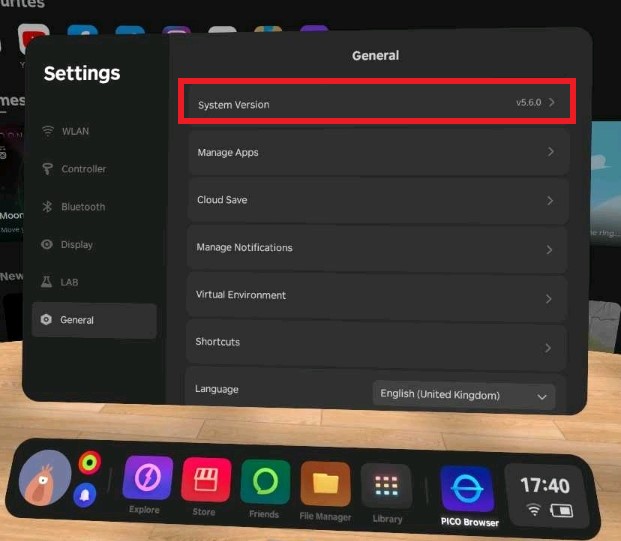
- Auto check: Auto check is triggered every time the device is turned on or reconnected to WiFi.
- Online system upgrade: Users can download the installation package of the latest system version by tapping the "Online Upgrade" button in the pop-up notification. After the download is complete, the system will automatically restart and update to the latest version.
- Offline system upgrade: Users can manually drop the installation package of the latest system version to the download folder, then tap the "Offline Upgrade" button in the pop-up notification. The app will version check the installation package, and if a newer version is found, the system will kick off the upgrade and restart process.