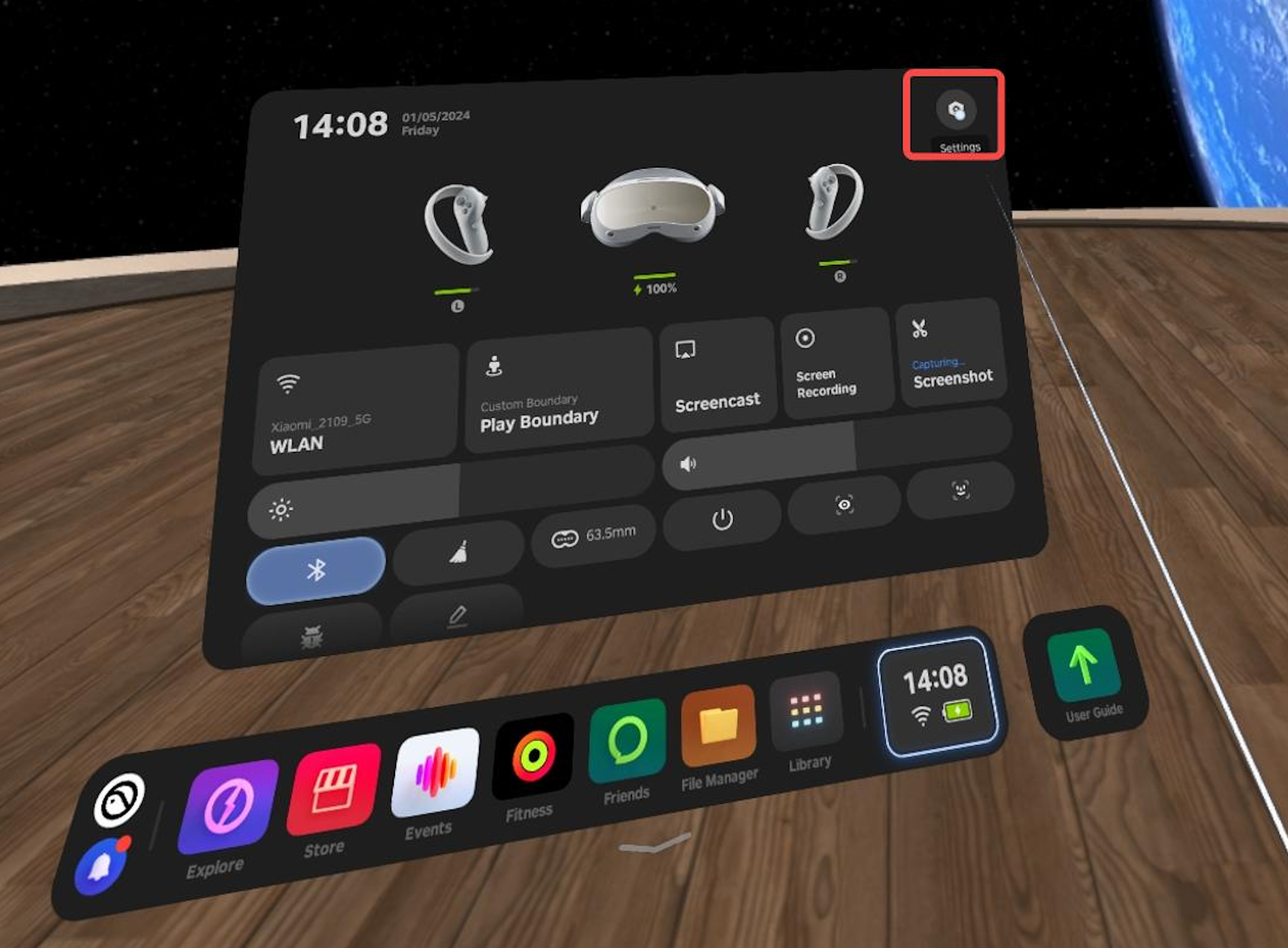
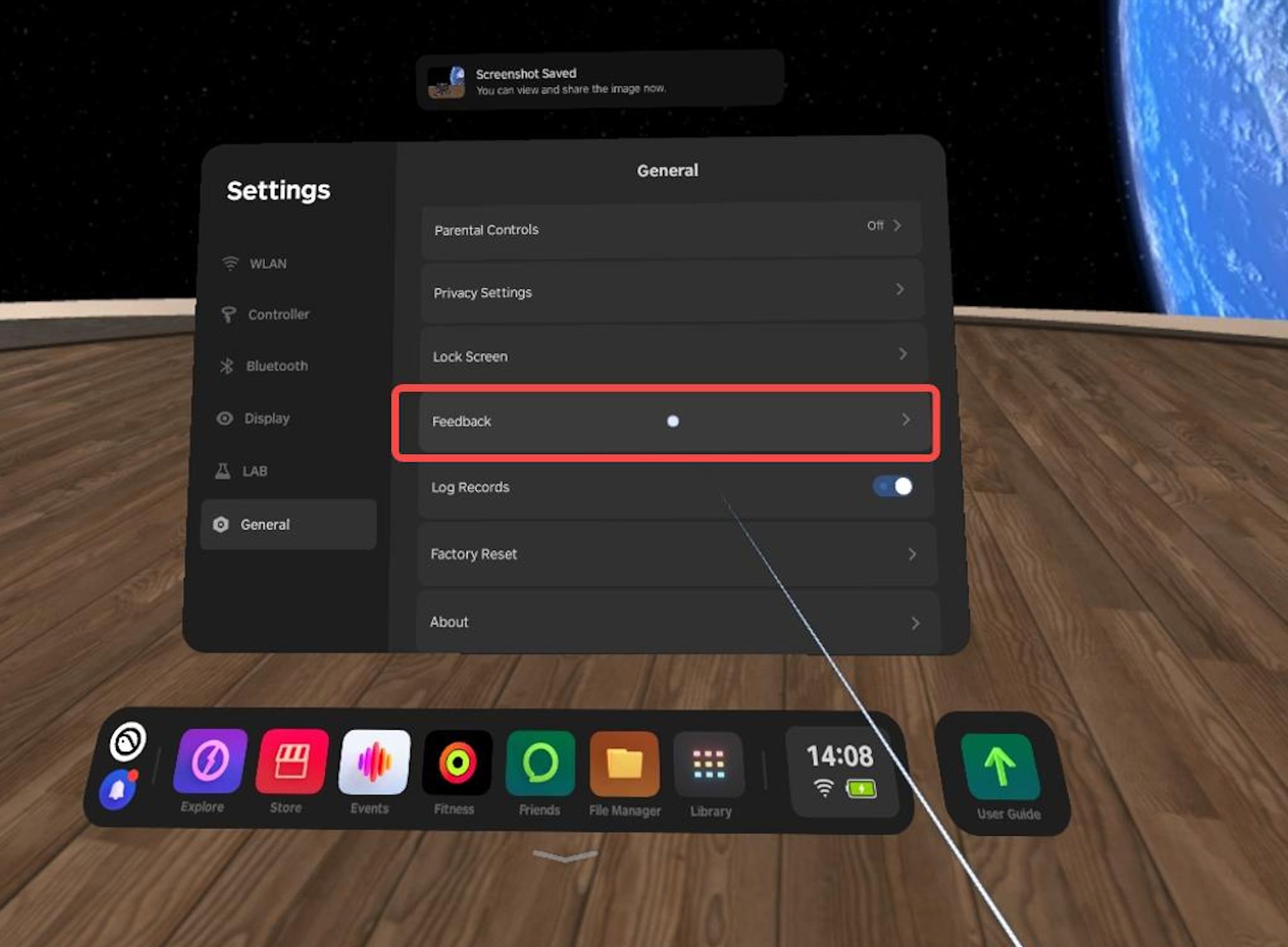
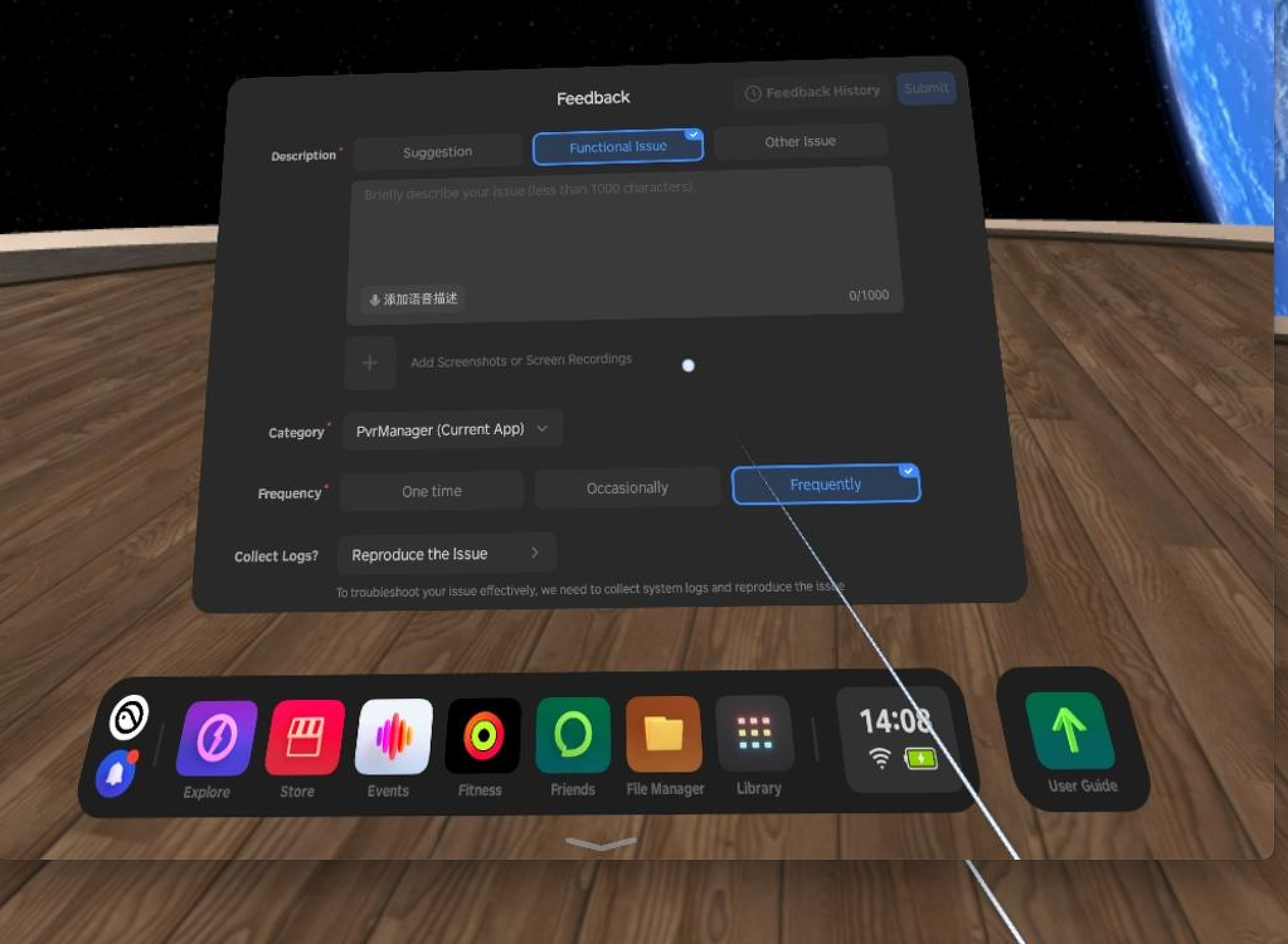
If you are having an issue with an app downloaded from the PICO app store, please kindly submit your feedback on PICO device. At the main menu, click the setting -> General-> Feedback-> Fill in the page information as required-> Submit.
To troubleshoot your issue, please click on "Reproduct the issue" in the "collect log?" section, follow the guidance to open your app, reproduce the issue, then go back to feedback menu to complete the issue submission.
We encourage users to attach a screen recording video when submitting feedback. It will help us better understand the start up crashing scenario.
Note:For the convenience of PICO service to contact you, please remember to note the email or phone number.